
FLASH BaseTM
FAQs
“E3” Error
Volume settings
LED display settings
Other settings
Software update
Open this page on your smartphone or tablet and scan the QR code below with your FLASH BaseTM if you encounter the “E3” error.
You can adjust the volume of the warnings and tones of your FLASH BaseTM. Open this page on your smartphone or tablet and scan a QR code with the BaseTM to adjust the volume.
Note: you cannot adjust these settings when a slot is running a test on the device.
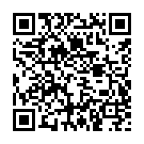
High sound setting
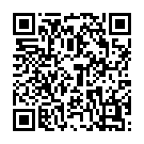
Low sound setting
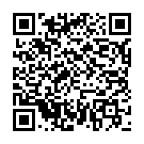
Mute sound setting
You can adjust the brightness of the LED display of your FLASH BaseTM. Open this page on your smartphone or tablet and scan a QR code with the BaseTM to adjust the brightness.
Note: you cannot adjust these settings when a slot is running a test on the device.
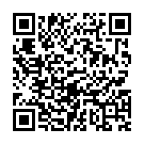
High brightness setting
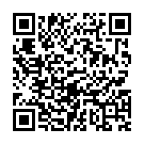
Low brightness setting
If necessary (e.g., instructed by the manufacturer or your authorized distributor), you can conduct a self-test to assess the status of your FLASH BaseTM. Open this page on your smartphone or tablet and scan a QR code with the BaseTM to start the self-test.
Note: you cannot initiate a self test if any slot is running a test on the device.
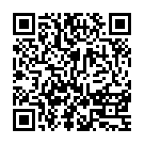
Start self-test
If indicated by the manufacturer or your authorized distributor, you can download and install the most updated software of your FLASH BaseTM. Follow the “FLASH Software Update Guide” in the link below to complete the update.
FLASH PiccoloTM
FAQs
Getting startedFAQs
Setup & operationFAQs
TroubleshootingSoftware update
What is the FLASH Piccolo™?
The FLASH Piccolo™ is a compact diagnostic instrument used with FLASH VetID™ Test Cartridges to run molecular diagnostic tests. It heats the cartridge at the correct temperature for the selected test and uses LED indicators to guide you through setup and show test progress.
What’s included in the box?
The FLASH Piccolo™ ships with a USB-C Power Delivery (PD) AC adaptor and a USB-C to USB-C cable.
How do I power up the FLASH Piccolo™ for the first time?
Connect the FLASH Piccolo™ to the supplied USB-C PD adaptor (or a power bank supporting 9V⎓2.22A output) using the included USB-C cable. The three LED indicators will turn solid blue once powered correctly.
What Destinations Do You Offer?
Discover a wide range of travel destinations, from serene beaches to bustling cityscapes, with packages designed to suit every traveler’s needs.
How Can I Book a Trip?
Booking your dream vacation is simple! Learn how to select destinations, customize your itinerary, and secure your booking through our easy process.
What’s Included in Your Packages?
Our travel packages typically include accommodation, transportation, and some guided tours. Check the details to see what’s specifically covered for each package.